
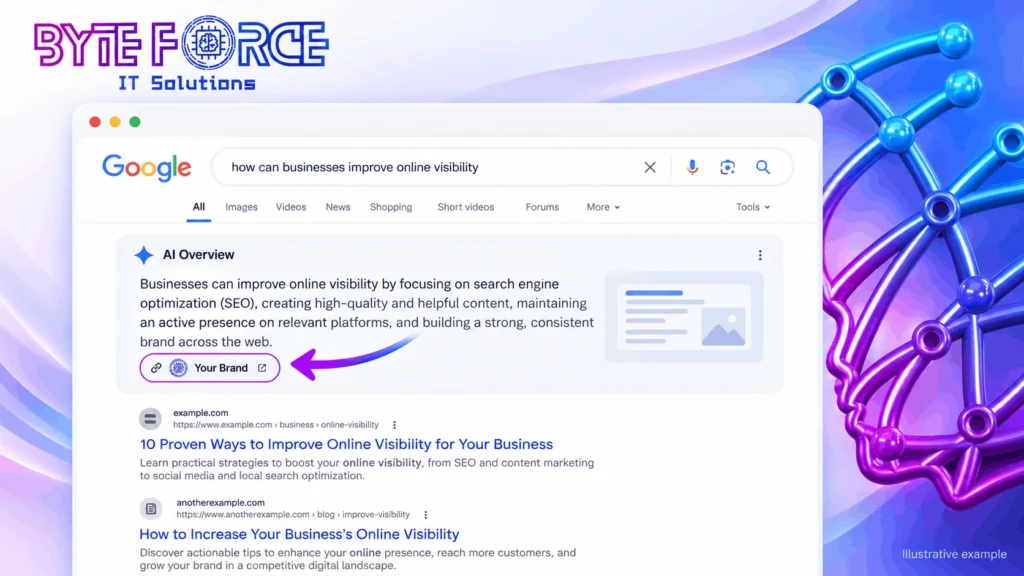
To get cited in an AI Overview, answer the search question in your first two lines, add proof only your business has, and build a brand that people search for by name. Google’s AI picks pages that are clear, helpful, and trusted. It skips pages that repeat what everyone else says.
The good news is that you can still win. Google says the basics of SEO still apply to its AI features, and it asks for no special tricks. You can read this in Google’s own guide to AI features. So the plan below mixes classic SEO service work with smart digital marketing.
Why Good Rankings Still Bring Fewer Clicks
Google now shows a short answer above the normal results. Many people read it and leave. Pew also found that users end their browsing session more often after they see an AI summary. So your page can sit at number one and still get few visits.
This changes what you should measure. Rank alone no longer tells the full story. Track these three things instead:
- Clicks and impressions for each page
- Calls, form fills, and chats
- How often people search for your brand name
Step 1: Find Out Which Pages Lost Clicks
Do not guess. Not every traffic drop comes from AI Overviews. Seasons, new competitors, and site changes also cause dips.
Open Google Search Console and look for pages where impressions stay flat but clicks fall. Google says traffic from AI features counts inside the normal Search Console totals, so you will not see a separate line for it. That means you need to look for patterns yourself.
Check these groups of searches first:
- Question searches, such as “how do I” and “why does”
- Long searches with many words, because Pew found longer searches trigger AI summaries more often
- Brand searches compared with non-brand searches
Write down the top 10 pages that lost the most clicks. Fix those first.
Step 2: Put the Answer First
AI tools need a clear answer they can lift and trust. If you bury your answer under three paragraphs of warm-up, the AI will pick a page that gives it faster.
Open every page with a direct answer
Write a short answer in the first two or three lines. Keep it plain and complete. Then use the rest of the page to give detail, steps, and proof.
Use headings that look like real questions
People type questions into Google. Your headings should match them. Use simple H2 and H3 headings such as “How long does SEO take?” or “What does a digital marketing plan cost?” Then answer each one right below.
Keep paragraphs short
Write one idea per paragraph. Use bullets for lists and numbers for steps. Short blocks help readers scan, and they help search systems understand your page.
Step 3: Add Proof That a Summary Cannot Copy
An AI summary can repeat common facts. It cannot repeat your own data, your own photos, or your own client results. That is your edge.
Cyrus Shepard, head of AI SEO at Zyppy, tells publishers in the Forbes Advisor report to share first-party data, original research, and real-world experience. He also says a page should help people finish a task, not just answer a question.
Here are easy ways to add proof:
- Share real numbers from your own work, such as results from a campaign
- Add a short case study with a clear before and after
- Show your own photos, screenshots, and charts
- Add a simple checklist or template that visitors can use right away
- Name the author and show why that person knows the topic
Step 4: Show Real Experience and Trust
Google looks for signs of experience, expertise, authority, and trust. These signs are called E-E-A-T. You do not need fancy tools to show them.
- Add an author bio with real skills and years of work
- Show your business name, phone number, and address on every key page
- Link to trusted sources when you share a fact
- Add real customer reviews and ratings
- Update old pages so the facts stay fresh
Trust also helps you outside Google. People who trust you call you, even when AI never sends them a click.
Step 5: Build a Brand People Search for by Name
Shepard also urges businesses to grow brand searches. When people type your name into Google, no AI summary can take that visit away from you.
The Forbes Advisor test gives a useful clue here. Community sites like Reddit and YouTube stayed memorable even when an AI Overview showed up. People remember voices and faces more than plain text.
Try these simple moves:
- Post short how-to videos on YouTube and answer real customer questions
- Join forum and community talks where your customers ask for help
- Ask happy customers for Google reviews
- Keep your Google Business Profile complete and fresh
- Use the same business name, phone number, and details everywhere
Want a clear picture of where AI Overviews hurt you? Our SEO service for AI search visibility starts with a page-by-page check of your lost clicks and your best chances to get cited.
Step 6: Make Your Site Easy for Google to Read
Google’s guide lists a few technical basics that help your content appear in AI features. Most of them are simple.
- Link your pages together. Strong internal links help Google find all your content.
- Match your markup to your page. Your structured data must match the text people see.
- Add helpful images and videos. Visuals support your text and give AI more to work with.
- Keep business details current. Check your Business Profile and Merchant Center data often.
- Make pages load fast and work on phones. Slow pages lose readers before the answer shows.
You do not need special AI files or secret markup. Clean basics beat clever tricks.
Step 7: Turn Fewer Clicks Into More Leads
When clicks drop, each visit matters more. So make every visit count.
Match the page to the search
If someone searches for “affordable SEO service,” send them to a page about that, not your home page. A close match keeps people on the page.
Make it easy to act
- Put a clear phone button at the top of each page
- Keep forms short and ask for only what you need
- Add trust signs near the button, such as reviews and client logos
- Test one change at a time so you know what works
Track results that pay the bills
Count calls, form fills, and sales. Traffic is only a number. Leads and revenue tell you if your plan works.
Ready to turn fewer clicks into more leads? See how a digital marketing strategy for lead generation can sit around your SEO and keep your pipeline full, even when Google changes the page.
Spread Your Reach Across More Channels
Do not rely on one source of visitors. AI tools are growing, but they are not replacing search yet. Data from SparkToro and Datos, cited by Forbes Advisor, shows that 95% of Americans still used traditional search each month, while more than 20% used AI tools at least 10 times a month. People use both.
So build more than one road to your door:
- Email your past customers with useful tips and offers
- Run paid search ads on your most valuable keywords
- Post helpful content on social platforms
- Ask partners and happy clients for referrals
Mistakes to Avoid
- Chasing rank only. A top spot with no clicks does not pay.
- Posting thin content. If a summary can replace your page, it will.
- Hiding the answer. Long intros push your best lines out of reach.
- Ignoring your brand. Brand searches are the safest traffic you have.
- Waiting too long. AI Overviews keep growing, so early fixes win.
Why Choose Byte Force IT Solutions
Byte Force IT Solutions helps businesses get found, get cited, and get calls. We focus on two things: SEO service and digital marketing. We believe both must work together, because a top ranking means little if nobody clicks, calls, or buys.
We start with your data. Our team checks which pages lost clicks, which questions your customers ask, and where your brand shows up online. Then we fix weak pages, write answer-first content, and set up tracking so you can see leads, not just traffic. Our SEO work covers keyword research, page structure, technical clean-up, and local search signals. Our digital marketing work adds the channels around it, such as paid search, email, and social content, so one change at Google never sinks your lead flow.
We write in plain language, because plain pages win with readers and with AI. We also explain every step in simple words, so you always know what we do and why. We serve business owners across the UAE, and we also work with clients online.
Ready to stop losing clicks? Call us today at +971 50 250 7941 and tell us about your goals. We will show you where AI Overviews hurt you and how to get cited instead.
Conclusion
AI Overviews change how people use Google, but they do not end SEO. The brands that win give clear answers, share proof only they have, and earn trust people remember. Start with your top 10 pages that lost clicks. Fix the answers, add real proof, and track leads. Small steps, done well, keep your business visible.